

Watch Screenshot-Based Time Tracking in Action
See how Didon captures your screen, analyzes activity with local AI, and builds structured time reports—without storing screenshots online.
You forget to start the timer,
again.
By the time you remember, you've lost track of what you worked on for the last three hours. So you guess. You fill in rough blocks. Your timesheet becomes fiction, your invoices feel arbitrary, and you have no real idea where your day actually went.
Manual time tracking doesn't work because it demands constant attention you don't have. You're deep in code, a design file, or a client call—the last thing on your mind is clicking "start" in another app.
You need automatic tracking that respects the fact that your screen is private.

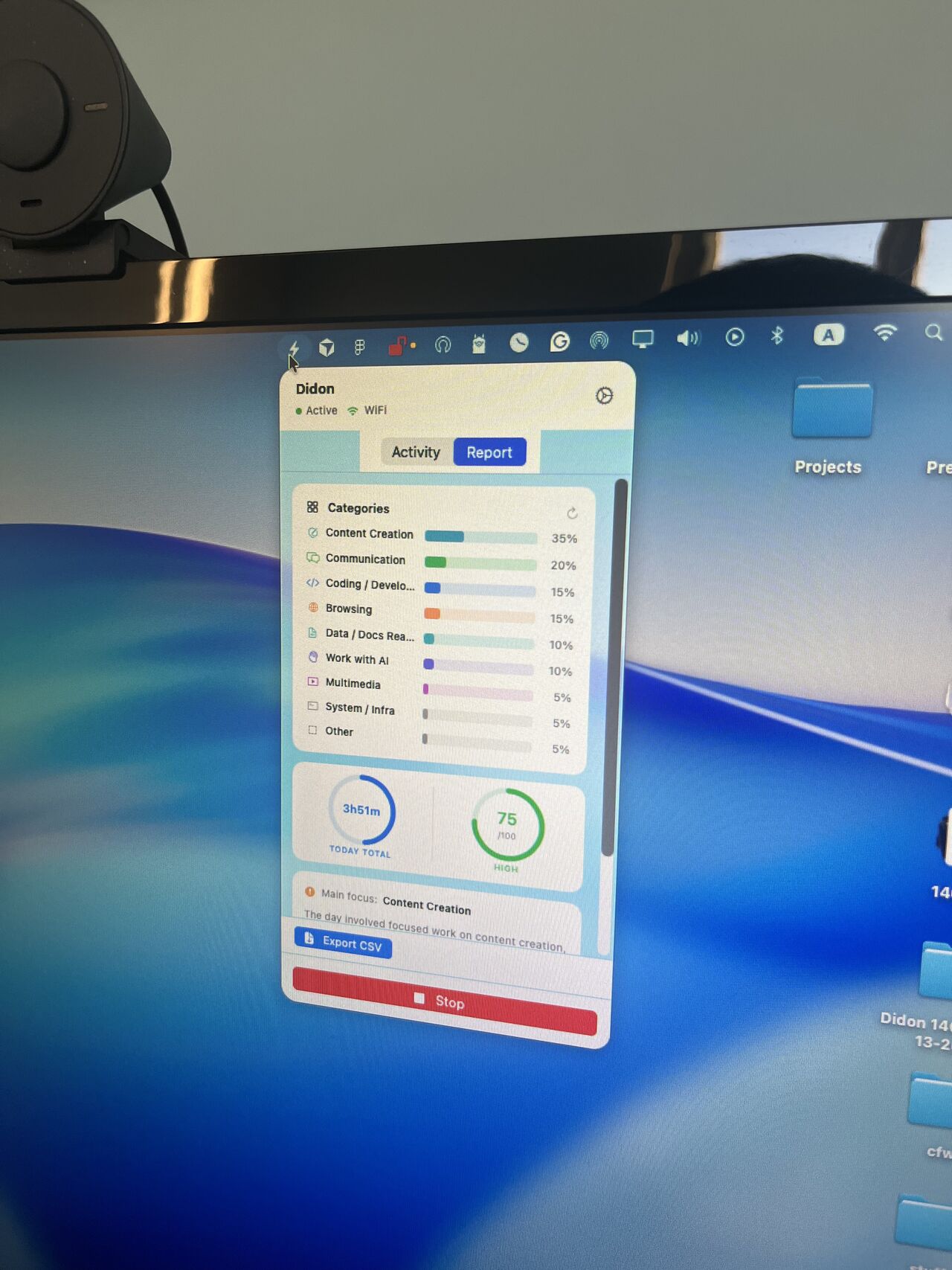
Automate your time tracking with Local AI
Didon runs in the background on your Mac, captures what you're working on, then uses AI to understand it—without storing a single image.
The AI analyzes screenshots locally. It reads visual context—application names, document titles, browser tabs—and groups that activity into meaningful time blocks. Which means you see "3 hours on client project" instead of a folder full of raw screenshots you have to sort yourself.
No internet upload. No permanent storage. No risk of your work leaking in the next data breach.
You get automatic task detection, daily summaries that make sense, and the ability to prove where your time went—all while keeping sensitive work exactly where it belongs: on your machine.
How It Works
Capture screenshots at intervals you control
Set the frequency—every 5 minutes, every 10, whatever fits your workflow.
Local AI analyzes activity without storing images
The AI reads on-screen context, categorizes tasks, then discards the screenshot. Nothing leaves your Mac.
View structured time reports in a clean dashboard
Open Didon and immediately see where your day went—grouped by project, client, or task type.
Export or adjust as needed
Refine categories, add notes, export timesheets for billing or personal review.
Who could benefit from screen-based analysis?
You're juggling client calls, Slack threads, and actual deep work. Didon tracks it all automatically, so you can focus on the work instead of remembering to log it. At the end of the week, you have an accurate record of billable hours without manual guesswork.
Clients expect detailed timesheets. You hate filling them out. Didon gives you the breakdown—"2.5 hours on wireframes, 1 hour on revisions"—without you lifting a finger. Which means faster invoicing and fewer disputes over what you actually did.
You tried Hubstaff or Time Doctor. The constant screenshot uploads felt invasive. Didon gives you the same automatic tracking without the surveillance—everything stays local, analyzed by AI that runs on your machine, not someone else's server.
Screen-based time tracking vs manual timers
| Feature | Didon | Hubstaff | Harvest | Toggl Track |
|---|---|---|---|---|
| Local AI analysis | ✓ | ✗ | ✗ | ✗ |
| No online screenshot storage | ✓ | ✗ | N/A | N/A |
| Automatic task detection | ✓ | Manual tags | Manual entry | Manual entry |
| macOS native | ✓ | Web-based | Web-based | Web-based |
| Privacy-first design | ✓ | Continuous capture | No screenshots | No screenshots |
| Price (per user/month) | $15–$20 | $7–$20 | $10.80 | $9–$18 |
We use local AI to analyze your screenshots and never store them.
Hubstaff
Captures screenshots continuously and uploads them to the internet. That's how 21 million images leaked. Didon analyzes locally and never stores.
Harvest
Built for invoicing and expense tracking. If you just want automatic time tracking without the billing overhead, Didon is simpler and cheaper.
Toggl Track
Requires you to start and stop timers manually, then tag every entry. Didon removes the manual step entirely—AI handles categorization for you.